FamilySharing
- Home
- Products
- FamilySharing

Your whole family, on the same page
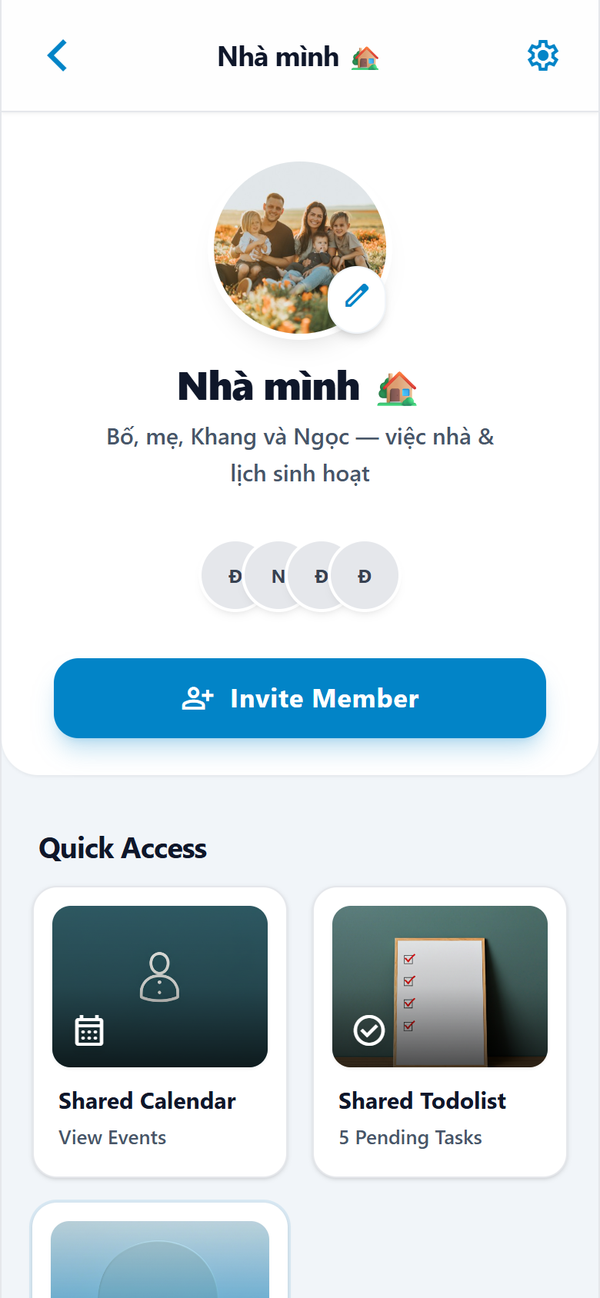
FamilySharing connects every family member in one app. Share information, to-do lists, photos, plans and schedules, chat together, and get notified whenever something new is posted.
- Private by default, shared only with family
- Works for parents, children and grandparents
- An AI assistant for every family task
See FamilySharing in action
Real screens from the FamilySharing app.
Share everything that matters at home
Everything your family needs to stay in sync, in one app.
Family information
Contacts, school details, health notes and documents, kept safe in one place.
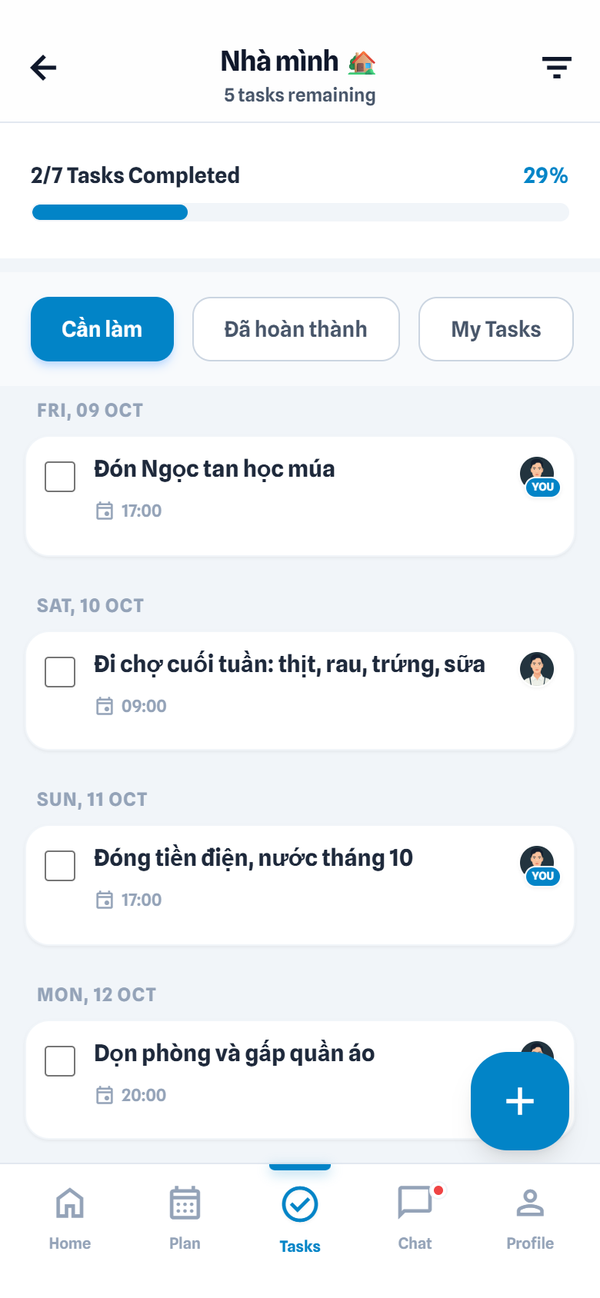
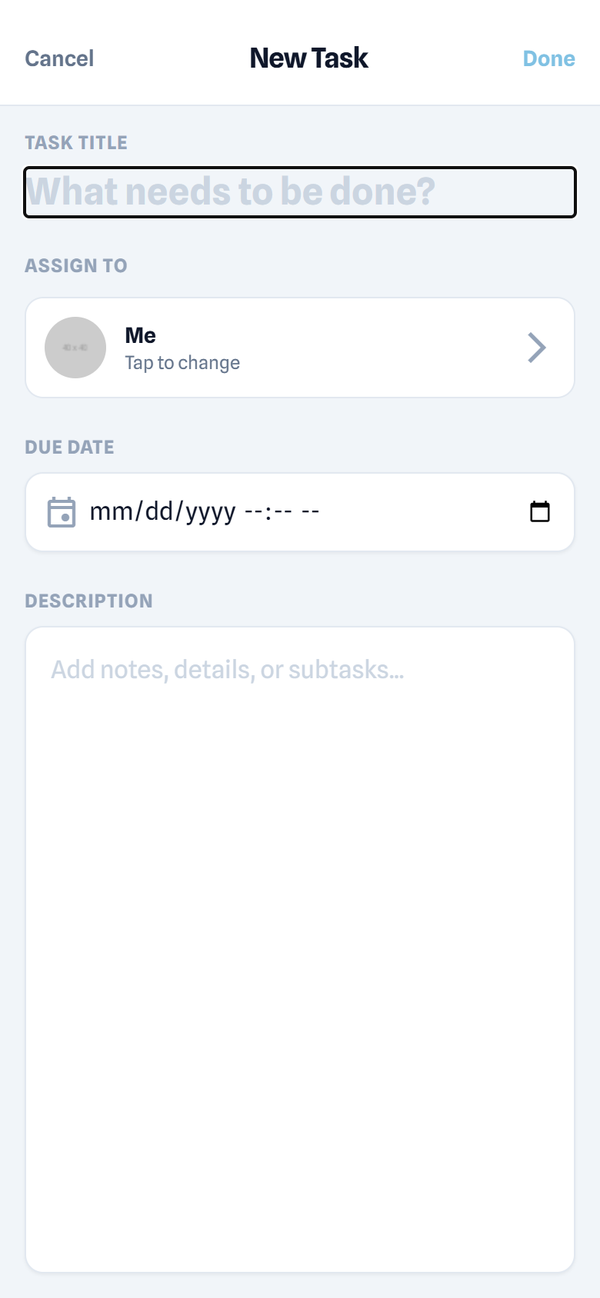
Shared to-do lists
Groceries, chores and errands that anyone can add, assign and check off.
Photos and albums
Private albums for birthdays, trips and everyday moments.
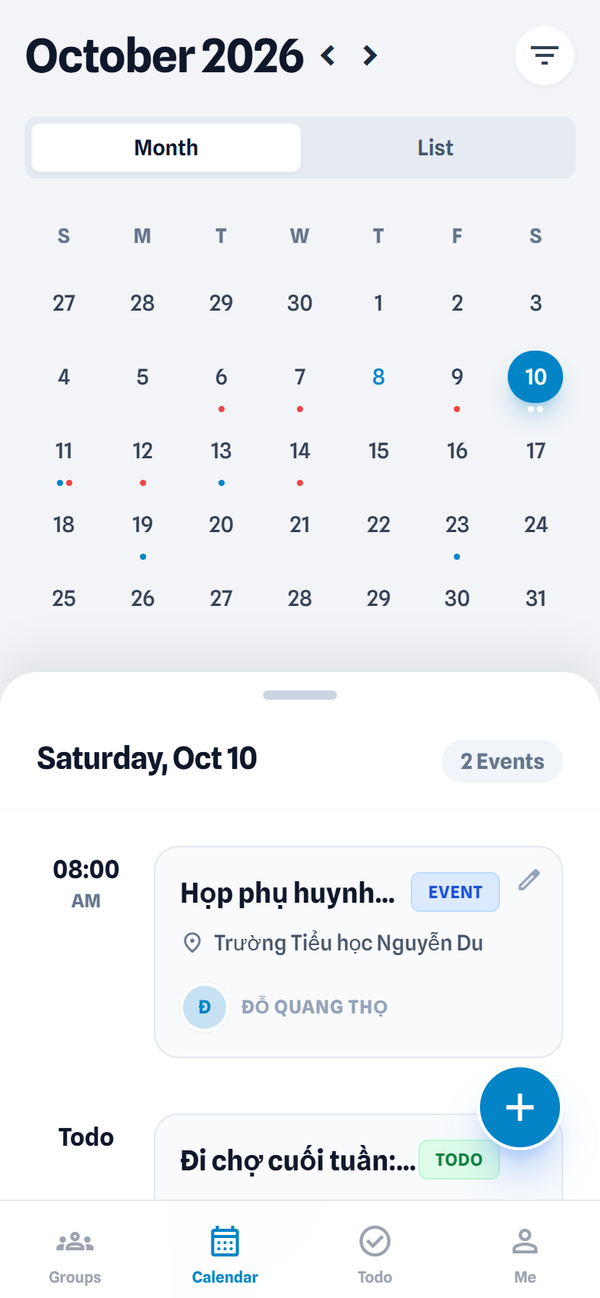
Plans and schedules
One shared calendar for school, work, appointments and holidays.
Family chat
A group chat for the whole family, linked to tasks, events and photos.
Instant notifications
Get notified when something new is posted, a plan changes or a task is assigned to you.
A family assistant for every task
The FamilySharing agent is connected to your calendar, lists, albums and chat. Ask it in plain language and it acts for you.
- Plans trips, meals and weekly routines
- Turns chat messages into tasks and events
- Reminds the right person at the right time
- Summarizes what you missed while you were busy
A day with FamilySharing
Morning briefing
Today's plan: school trip for Mai, a late meeting for Mom.
Photos shared
Dad posts lunch photos with Grandma, and everyone is notified.
Groceries done
Minh checks off the shopping list on the way home.
Tomorrow, sorted
The dentist visit is added to the calendar, with a reminder.
Questions and answers
Who can see our family's data?
Only the members you invite. Data is encrypted, never sold, and you can export or delete it at any time.
How many people can join a family?
Up to 12 members per family space, including grandparents and relatives.
Does the assistant act without asking?
No. It suggests plans and reminders, and only changes shared items when a family member confirms.
When can we start using FamilySharing?
Early access is open now. Email [email protected] to join.
Have any questions?
Email: [email protected]